AI image tools have changed how people create digital artwork. You can now turn a simple idea into a creative caricature. You do not need advanced drawing skills or expensive software. A chatgpt caricature prompt can help you describe the portrait you want. You can explain the face, expression, clothing, pose, colors, and background. Clear details help create a stronger visual direction. Caricatures are popular because they make portraits playful and personal. You can create a cartoon profile picture, birthday gift, social media image, or fun artwork. You can also test several artistic styles. The process is simple for beginners. Start with an idea, write your prompt, review the result, and improve it. Small changes can make a big difference. This guide explains useful chatgpt caricature prompt, techniques, creative ideas, common mistakes, and practical examples for better AI caricatures.
What Is a ChatGPT Caricature Prompt?
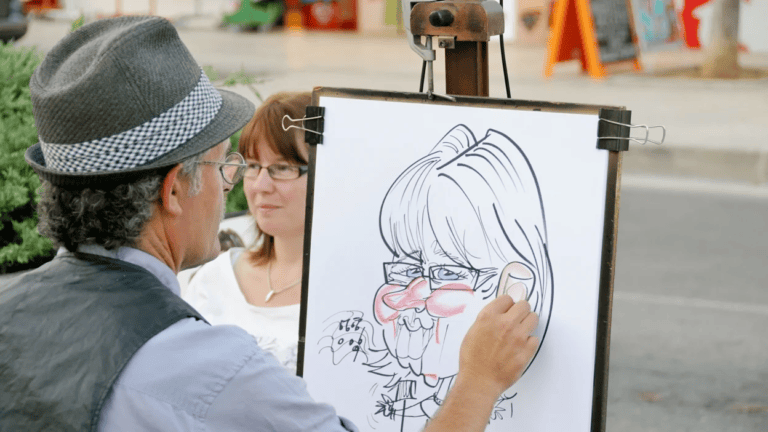
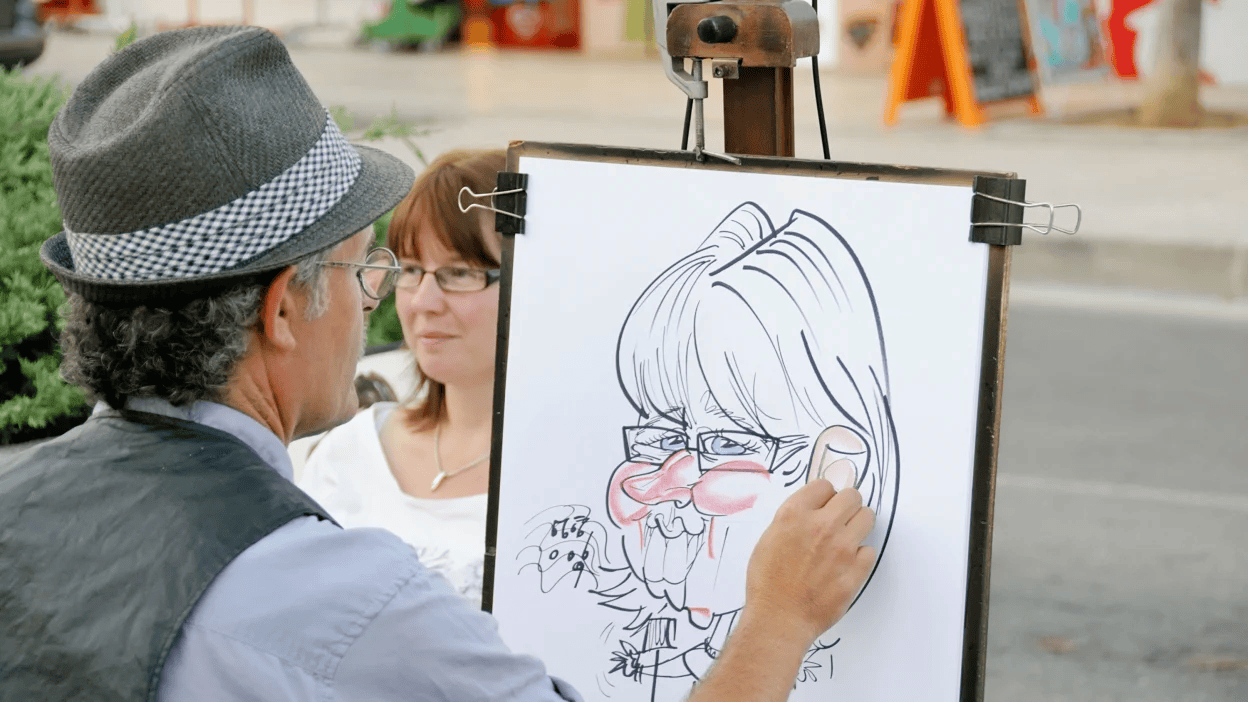
A chatgpt caricature prompt is a written instruction that describes the artwork you want. It can tell an AI image tool about the subject, appearance, expression, clothing, pose, and setting. You can also describe colors, lighting, composition, and artistic style. Caricatures usually exaggerate certain features while keeping the person recognizable. For example, you might request expressive eyes, a wider smile, or distinctive hair. You can choose a funny, cute, professional, or dramatic appearance. Your prompt does not need complicated words. Simple language often works well when your ideas are clear. Think of the prompt as instructions for an artist. You are explaining what should appear in the finished image. Avoid adding too many unrelated details. A focused description gives your creative idea a clear direction and makes later editing easier.
Why Are AI Caricatures Popular?
Caricatures have always been popular because they make ordinary portraits more entertaining. AI tools now make the creative process much faster. A chatgpt caricature prompt lets beginners explore visual ideas without traditional drawing skills. You can create artwork for birthdays, invitations, profile pictures, blogs, and social posts. Some people enjoy making cartoon versions of themselves. Others create fun gifts for friends and family. AI also allows you to experiment with different moods and styles. One image can look colorful and cheerful. Another can have a classic hand-drawn appearance. This flexibility makes AI artwork enjoyable for many users. The first result may not always match your idea. That is completely normal. You can change a few words and generate another version. Over time, you learn which descriptions create the visual effect you want.
Details to Add to Your Prompt
A useful chatgpt caricature prompt should describe the main visual elements. Start with the person or character. Then explain important facial features and the desired expression. Add the hairstyle, clothing, pose, and background. Next, choose an artistic direction. You might request cartoon art, digital illustration, comic art, or a hand-drawn appearance. Lighting also affects the final mood. Soft lighting can create a gentle feeling. Strong lighting can make the portrait more dramatic. You can also mention framing. Choose a close-up, head-and-shoulders portrait, or full-body composition. Do not describe every tiny detail unless it matters. Too much information can make your idea harder to control. Start with the most important elements. After seeing the first result, identify what needs improvement. Then adjust those specific details rather than rewriting the entire prompt.
A Simple Prompt Formula
A chatgpt caricature prompt becomes easier when you follow a basic structure. Start with the subject and appearance. Then add the expression, pose, art style, background, lighting, and mood. For example, describe a smiling person with expressive eyes and slightly exaggerated features. Add casual clothing and a bright studio background. Then request clean cartoon lines and soft lighting. This simple structure keeps your instructions organized. It also makes future changes easier. If the face looks too exaggerated, adjust that section. If the background feels crowded, simplify it. You do not need to change everything at once. Keep the successful parts and edit the weak areas. This approach saves time and helps you understand how different words affect image generation. After several attempts, you may develop your own favorite prompt format. That personal formula can make future projects much faster.
Funny Caricature Ideas
A chatgpt caricature prompt can create humorous artwork with playful details. You might request an oversized smile, expressive eyebrows, funny clothing, or an amusing pose. You can also connect the character with a favorite hobby. A coffee lover could hold a huge coffee cup. A music fan could wear large headphones. A sports fan could stand beside an oversized ball. These details add personality without making the image complicated. Words such as cheerful, silly, playful, charming, and energetic can help establish the mood. Keep the humor friendly and respectful. Avoid details that could embarrass or insult someone. If the caricature is a gift, consider the person’s hobbies and interests. One thoughtful detail can make the artwork feel special. You can also generate different versions with different expressions. Comparing several results can help you choose the most appealing design.
Creating a Professional Caricature
Not every chatgpt caricature prompt needs an extremely funny result. You can create a clean and professional illustration too. Request subtle facial exaggeration instead of dramatic changes. Use neat clothing, balanced colors, and a simple background. Soft lighting can provide a polished appearance. A head-and-shoulders composition can work well for profile images. You can also request a friendly or confident expression. This style may suit personal websites, portfolios, presentations, or social profiles. Keep the face as the main focus. Avoid adding too many objects behind the subject. Clean lines and gentle shading can make the artwork feel refined. If your first result looks too cartoonish, reduce the level of exaggeration. Small changes can create a noticeably different result. The right balance depends on your purpose. A professional caricature should still have personality without becoming overly distracting.
Popular Caricature Styles
There are many styles you can explore with a chatgpt caricature prompt. Classic cartoon art gives the image a playful feeling. Comic-book art can create stronger lines and bold expressions. Pencil sketches offer a traditional hand-drawn appearance. Watercolor can create a softer artistic effect. Digital illustration can provide clean and polished results. You can also explore colorful 3D character designs. Try one main style at a time. Combining several unrelated styles may produce an inconsistent image. It is also harder to understand which instruction caused the change. Along with the style, describe visual qualities. You might request clean outlines, expressive eyes, gentle shading, or vibrant details. This gives the AI more useful information. Experimentation is part of the creative process. Save prompts that produce results you enjoy. You can reuse their structure for future portraits.
Bio Table: ChatGPT Caricature Prompt
Before creating a chatgpt caricature prompt, organize your ideas. A simple creative profile can help you decide what belongs in the image. The table below provides a useful starting point for beginners. You can replace each example with your preferred details.
| Detail | Example Choice |
|---|---|
| Subject | Young adult character |
| Portrait Type | Head-and-shoulders |
| Expression | Friendly smile |
| Facial Style | Slightly exaggerated |
| Eyes | Large and expressive |
| Hair | Textured modern hairstyle |
| Clothing | Casual outfit |
| Art Style | Digital cartoon |
| Mood | Cheerful and playful |
| Background | Simple studio |
| Lighting | Soft lighting |
| Composition | Centered portrait |
| Colors | Bright and balanced |
| Finish | Clean digital illustration |
How to Improve Poor Results
Sometimes your first chatgpt caricature prompt will not produce the expected image. This does not mean your idea failed. You may simply need clearer instructions. Look at the result and find the biggest problem. Perhaps the face is too exaggerated. Maybe the background is too busy. The expression could also feel incorrect. Change one issue at a time. For example, replace extreme exaggeration with subtle facial exaggeration. If the background looks crowded, request a clean studio setting. If colors appear too strong, ask for balanced tones. This editing method is easier than starting from scratch. It also helps you understand how prompting works. Treat every generated image as a draft. Your second or third version may be much closer to your original idea. Patience and small adjustments are often more useful than writing extremely long prompts.
Common Prompt Mistakes
A weak chatgpt caricature prompt often gives very little visual information. Saying “make a funny picture” does not explain what you want. Another common mistake is adding conflicting instructions. Asking for realistic photography, watercolor, 3D animation, and comic art together may create an unclear result. Avoid unnecessary details too. Focus on the elements that matter most. You should also avoid changing every part of your prompt after each attempt. If everything changes, you cannot easily identify what improved the image. Instead, make one or two focused changes. Use simple words for expressions, clothing, backgrounds, and styles. You can also specify the image framing when composition matters. A well-organized prompt is easier to understand and edit. Your goal is not to create the longest instruction. Your goal is to communicate one clear visual idea.
Ready-to-Use Prompt Examples
Here is a simple chatgpt caricature prompt you can adapt: “Create a playful digital caricature of a smiling person with expressive eyes, slightly exaggerated facial features, modern casual clothing, and a bright simple background. Use clean cartoon lines, soft lighting, balanced colors, and a cheerful mood.” You can replace the clothing, background, expression, and style. For a funny version, add a playful pose or an oversized hobby-related object. For a professional portrait, reduce facial exaggeration and choose a simple studio setting. For social media, request a colorful background and strong expression. The best prompts describe the image clearly instead of simply saying “create a caricature.” Specific details give you more control while still leaving room for creative interpretation.
How to Personalize Your Caricature
Personal details can make a chatgpt caricature prompt more meaningful. Think about hobbies, favorite activities, clothing, pets, or interests. A traveler could appear with a suitcase and map. A musician could hold an instrument. A reader could sit beside colorful books. You can also choose a setting that matches the person’s personality. A cozy room can feel relaxed. A city scene can feel energetic. A simple studio keeps attention on the face. If you use someone’s photograph, consider whether you have permission to use it. AI-generated artwork may also change some facial details. It should be viewed as a creative interpretation rather than an exact copy. Personalization works best when you choose meaningful details. One or two strong ideas can be more effective than many unrelated objects. This keeps the portrait attractive and easy to understand.
Social Media Caricature Tips
A chatgpt caricature prompt can help create engaging profile pictures and social media artwork. Keep the face clear and easy to see. A centered portrait often works well for profile images. Avoid too many tiny objects because they may disappear on smaller screens. For energetic artwork, request a dynamic pose and bright visual elements. You can also create different versions with happy, surprised, confident, or relaxed expressions. Think about the final image shape before creating it. Square compositions can suit profile pictures. Vertical designs may work well for many social posts. Make the character the main focus. If you publish AI-generated artwork, follow the relevant platform rules. Responsible use can also help maintain trust with your audience. Most importantly, choose a style that matches your personality or the purpose of the post.
Final Thoughts: ChatGPT Caricature Prompt
Creating a chatgpt caricature prompt is simple when you understand the important details. Start with the subject, appearance, expression, style, background, and mood. Keep your first version focused. Then review the generated image and make small improvements. You can explore funny cartoons, professional portraits, colorful illustrations, comic designs, and many other creative directions. There is no single perfect prompt for every project. Different people have different preferences and goals. Experimenting helps you discover what works best. Avoid stuffing your prompt with unnecessary words. Clear instructions are usually easier to edit. Most importantly, enjoy the process. AI can help turn your ideas into artwork, but your concept gives the image personality. Try a simple description, review the result, and keep refining your idea until the artwork feels right.
FAQs About ChatGPT Caricature Prompts
Q: What is a chatgpt caricature prompt?
A chatgpt caricature prompt is a written description that guides an AI image tool. It can explain facial features, expressions, clothing, style, background, lighting, and mood. Clear details help communicate your desired artwork.
Q: Can I create a funny AI caricature?
Yes. You can use playful expressions, funny poses, colorful backgrounds, and hobby-related objects. Keep the humor friendly and respectful. Personal details can make the final image more entertaining.
Q: How detailed should my prompt be?
Include the main visual details that affect your image. Mention the subject, appearance, expression, style, clothing, background, and mood. Avoid unnecessary instructions that could make your idea confusing.
Q: Which styles work for caricatures?
You can try cartoon, comic-book, pencil sketch, watercolor, digital illustration, and 3D character styles. Experiment with one main style at a time for more consistent results.
Q: How can I make a caricature professional?
Use subtle facial exaggeration, simple backgrounds, balanced colors, clean lines, and soft lighting. A centered head-and-shoulders portrait can also create a polished appearance.
Q: Can I improve an AI caricature after generating it?
Yes. Review the first image and identify one problem. Then change that specific instruction. Adjusting the expression, exaggeration, background, clothing, or lighting can gradually improve the final result.
About the Author