PS2 BIOS
The PlayStation 2, or PS2, remains one of the most beloved gaming consoles in history. From iconic adventures like Final Fantasy X to epic battles in God of War, the PS2 shaped an entire generation of gamers. Behind every game, however, lies a critical piece of software known as the PS2 BIOS. The BIOS acts as the brain of the console, controlling how games load, managing memory cards, handling hardware communication, and ensuring the system starts correctly. Without it, neither the console nor emulators can function. Whether you want to relive classic games on your original PS2 or emulate them on a PC or Android device, understanding the PS2 BIOS is essential. In this guide, we will explore what PS2 BIOS files are, how to use them legally, their different regions, and the steps to set them up for emulation.
What is PS2 BIOS?
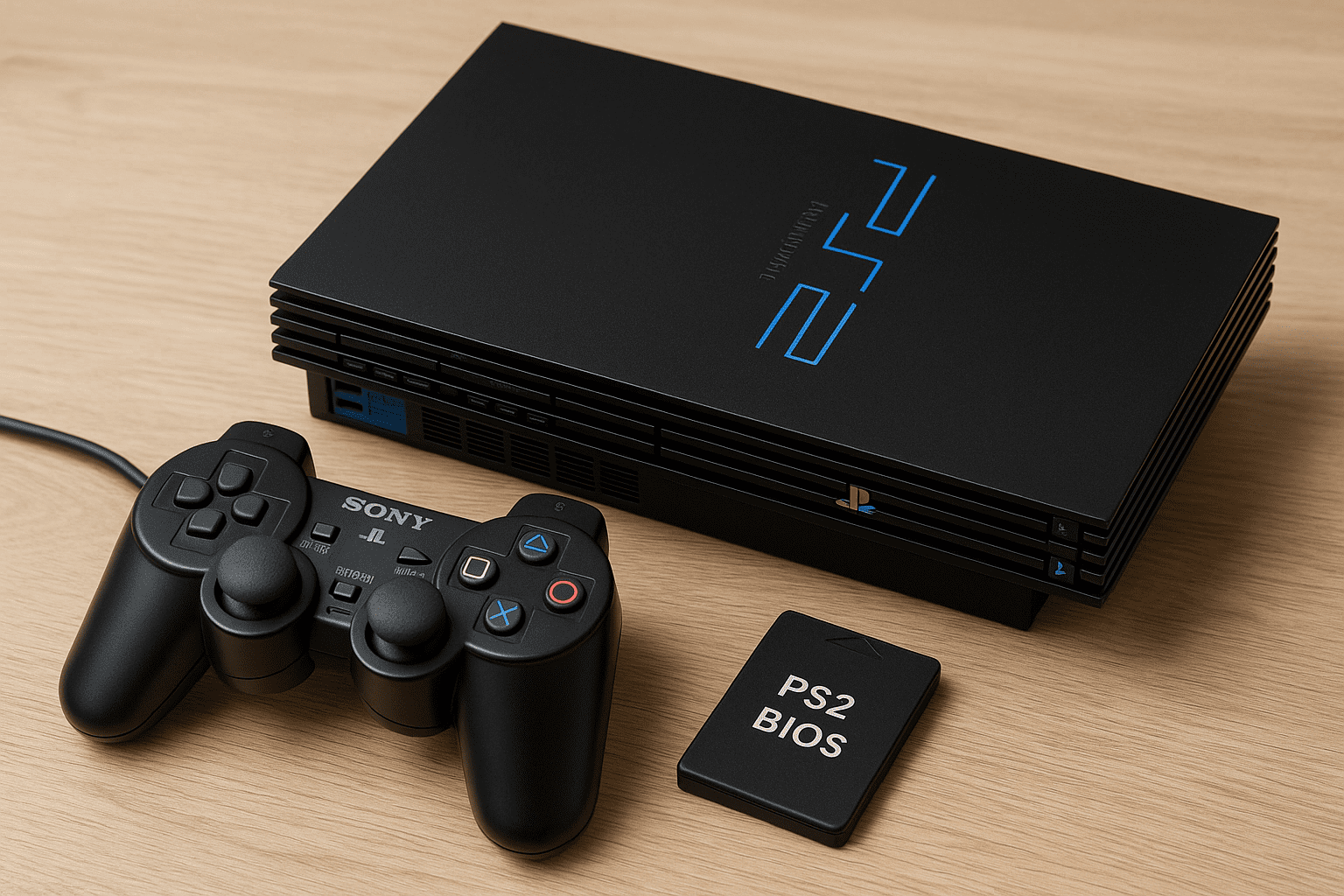
The PS2 BIOS, or Basic Input/Output System, is the firmware that comes pre-installed on every PlayStation 2 console. It serves as the central system software that allows the console to communicate with its hardware, manage game discs, and operate memory cards. The BIOS also handles system settings, DVD playback, and controller input. Essentially, it is the foundation that keeps the PS2 running smoothly. Without it, the console cannot start, and emulators like PCSX2 cannot function. Understanding the role of the BIOS is critical for anyone looking to emulate PS2 games or troubleshoot issues with their console.
The Importance of PS2 BIOS for Emulators
Emulators replicate the PS2 hardware environment on devices like PCs or smartphones. To do this effectively, they require the PS2 BIOS. The BIOS ensures that games are correctly authenticated and helps the emulator manage video modes, controllers, and memory cards. Without a proper PS2 BIOS file, emulators cannot run games reliably. This is why almost every PCSX2 setup guide begins with configuring the BIOS. A correct BIOS file allows you to enjoy your games with fewer errors, smoother performance, and improved compatibility.
Types of PS2 BIOS Files
PS2 BIOS files come in different versions and formats depending on the console model and region. Some common examples include scph10000.bin for early Japanese models, scph39001.bin for US versions, scph50004.bin for European consoles, and scph70012.bin for Slim models. Alongside these main files, there are additional system files such as rom1.bin, rom2.bin, erom.bin, and nvm.bin, which store critical system data and configuration settings. Each BIOS version supports different hardware, DVD drives, and system capabilities, making it important to use the correct files for your console or emulator.
PS2 BIOS and Regional Differences
The PS2 BIOS is region-locked, which means that the console enforces restrictions based on the geographic location. Games purchased in one region may not run properly on a console or emulator set to another region. For instance, the USA region, or NTSC-U, uses BIOS versions such as SCPH-30001 and SCPH-39001. European consoles, often referred to as PAL, use SCPH-30004 and SCPH-50004. Japanese systems, labeled NTSC-J, include SCPH-10000 and SCPH-18000, while Asian or Chinese consoles have SCPH-50009 and SCPH-70008. Choosing the correct regional BIOS is essential to ensure games operate without errors, crashes, or visual glitches.
Legal Considerations for PS2 BIOS
It is important to note that not all PS2 BIOS downloads are legal. Downloading BIOS files from the internet or sharing them is against the law. Legally, you can only use a BIOS that you have dumped from your own PS2 console. This ensures you stay compliant with copyright rules while still enjoying emulation. Using the BIOS for pirated games or sharing it online is illegal and unethical. Emphasizing legal use not only protects you from potential issues but also promotes responsible emulation practices.
How to Dump PS2 BIOS Legally
Dumping your own PS2 BIOS is the safest and legal method to obtain the files. One popular approach is using Free McBoot (FMCB) installed on a memory card. By launching the BIOS dumper app through FMCB, you can transfer all BIOS files to a USB drive and then move them to your PC or emulator folder. This method provides all the necessary files, including scphXXXXX.bin, rom1.bin, rom2.bin, erom.bin, and nvm.bin. Once the BIOS files are properly dumped and stored, they can be used safely in PCSX2 or Android emulators.
Using PS2 BIOS on PCSX2
PCSX2 is the most widely used PS2 emulator on Windows, Linux, and macOS. After installing the emulator, you must add your dumped PS2 BIOS files. This involves navigating to the BIOS setup section, locating the folder where the BIOS files are stored, and selecting the correct regional version. Once saved, the emulator can run PS2 games with high compatibility and performance. Using a correct BIOS ensures smoother gameplay, prevents crashes, and allows you to access emulator features such as upscaling, custom resolutions, and save states.
Using PS2 BIOS on Android Devices
Mobile emulation apps like AetherSX2 also require PS2 BIOS files. To set up the BIOS on Android, copy the legally dumped files to your device’s storage and point the emulator to the folder containing the files. After configuring controllers and graphics settings, you can enjoy PS2 games on the go. This method allows gamers to relive classic titles on modern smartphones or tablets, combining portability with the nostalgia of the original PlayStation 2.
PS2 BIOS Images and Their Use
Some emulation guides feature PS2 BIOS images, which visually display the boot screen or memory card interface. These images help users identify the correct BIOS version and assist with tutorials or troubleshooting. While BIOS images cannot replace the actual files needed for emulation, they provide a visual reference to ensure users select the right files for their setup. Images of the BIOS interface are especially useful for beginners learning how to configure PCSX2 or Android emulators.
Common PS2 BIOS Issues and How to Fix Them
Even when using the correct BIOS, users may encounter issues. A black screen on startup often indicates a mismatch between the game region and BIOS region. Memory cards may not be recognized if essential system files like rom1.bin or rom2.bin are missing. Games may crash or display errors if the BIOS files are corrupted or incomplete. Troubleshooting typically involves ensuring all files are present, verifying the region compatibility, and updating the emulator. Maintaining well-organized and legally sourced BIOS files reduces errors and ensures a smooth gaming experience.
The Ongoing Relevance of PS2 BIOS
Despite the PS2 being over two decades old, the gaming community remains active. Thousands of classic PS2 titles are preserved digitally, and emulators allow players to enjoy these games on modern hardware with enhancements like upscaling, improved textures, and faster load times. Modders and retro gaming enthusiasts rely on PS2 BIOS files to unlock hidden features or bypass region restrictions. Learning about the BIOS is not just about playing games; it is about preserving a piece of gaming history and understanding the foundation of one of the most popular consoles ever made.
FAQs
- Can PS2 BIOS be used for all PS2 games?
Yes, as long as the BIOS matches the game’s region. Some games may require specific BIOS versions for proper compatibility. Using the correct BIOS ensures smooth gameplay without errors or crashes. - What is the difference between PS2 BIOS and PS2 ROM?
The PS2 BIOS is the system firmware controlling hardware and system functions, while a PS2 ROM is a digital copy of a game disc. BIOS is necessary to run ROMs in emulators. - Is it safe to use PS2 BIOS on multiple devices?
Yes, as long as the BIOS is legally dumped from your own console. You can use it on multiple emulators, like PCSX2 on PC or AetherSX2 on Android, without legal issues. - Why do some PS2 BIOS files not work on emulators?
This usually happens if the BIOS is corrupted, incomplete, or from the wrong region. Ensuring you dump the correct, full set of BIOS files resolves most problems. - How do I check my PS2 BIOS version?
You can check the version by turning on the PS2 with a memory card containing FMCB and launching the BIOS dumper. The version number is displayed during the dump process, helping you match the correct file for emulation.
Conclusion
The PS2 BIOS is the key to experiencing the PlayStation 2 legacy, whether on the original console, PC, or mobile device. Understanding BIOS files, their regional differences, and legal usage is essential for a smooth and safe gaming experience. Using properly dumped BIOS files ensures compatibility, prevents crashes, and opens the door to enhanced gameplay features. By mastering PS2 BIOS, you are not only enjoying classic games but also preserving an important part of gaming history. Get your legally dumped BIOS ready, set up your emulator correctly, and relive the magic of PlayStation 2 with confidence and clarity.
About the Author